Docusaurus Installation Guide
Docusaurus is the platform used to build this website.
Software Required
- Download and Install Visual Studio Code
- Download and Install Node.js
For detailed information and video tutorials, visit the Docusaurus Introduction.
Setting Up Docusaurus on Your Local PC
-
Create a new folder named Docusaurus on the C drive of your local disk.
-
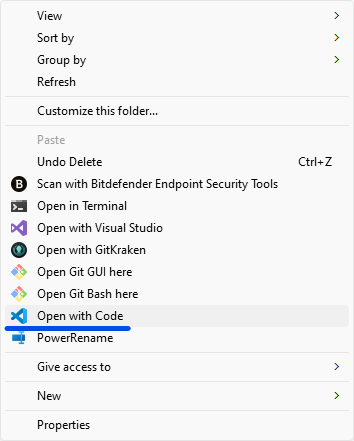
Right-click on the folder’s background, select Show more options, then click Open with Code.
-
In VS Code, open the terminal and run:
npx create-docusaurus@latest process-docs classic -
When prompted, choose TypeScript as the language.
-
Change directory into the new project folder:
cd process-docs -
Initialize a new Git repository:
git init
A notification will confirm the creation of an empty Git repository.
-
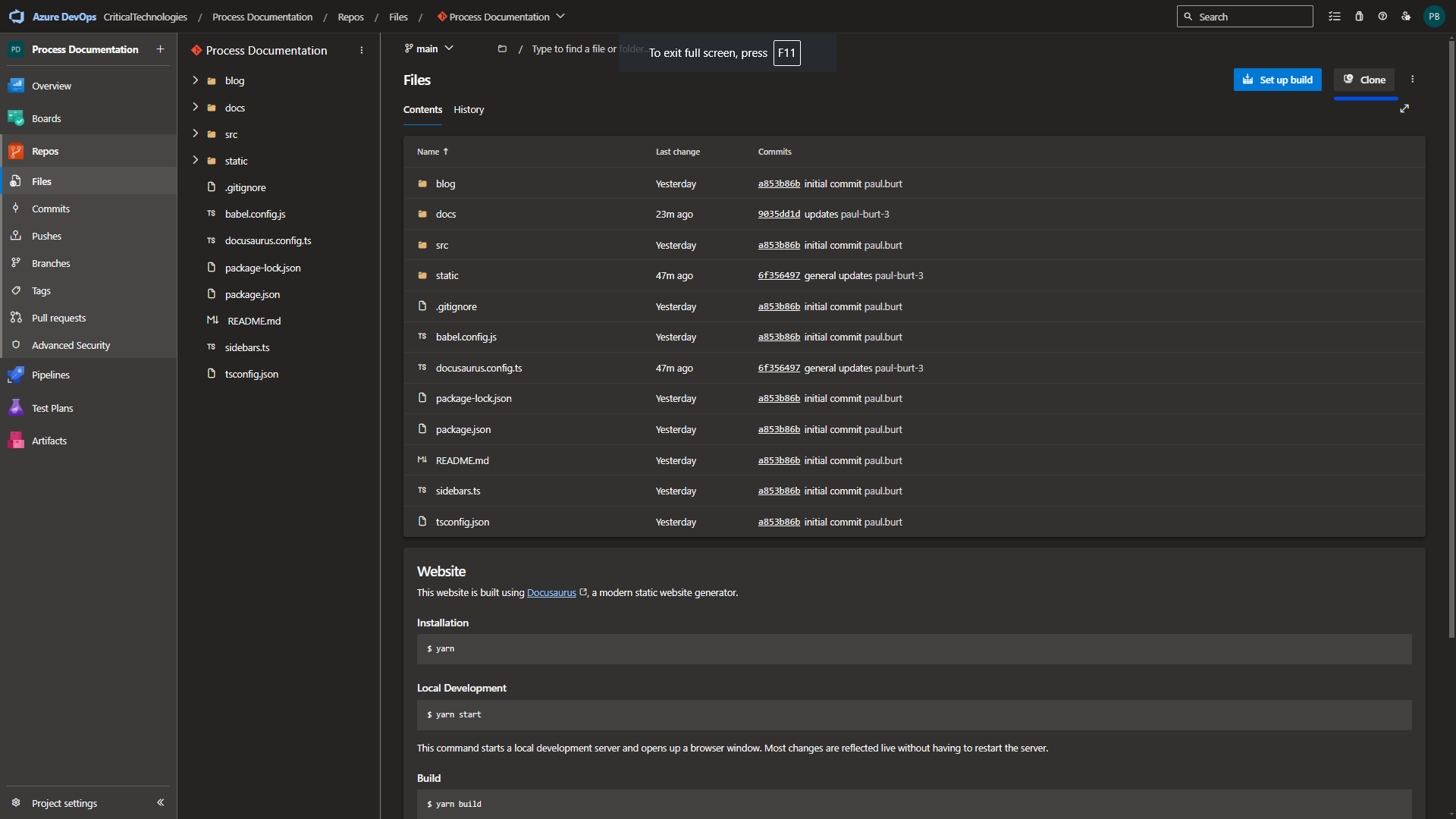
Navigate to the Critical Technologies Process Documentation Repo page.
-
Click the Clone button.
-
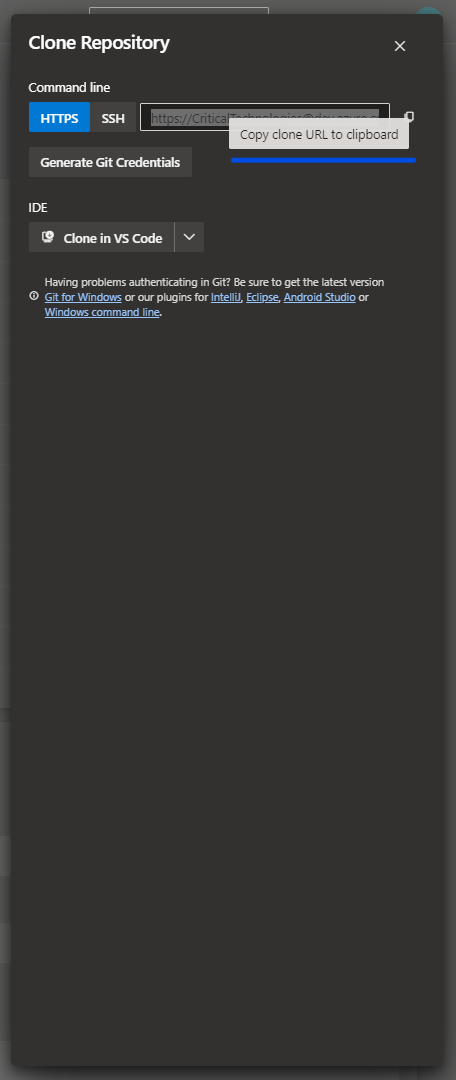
Copy the repository clone URL to your clipboard.
-
In the terminal, add the remote origin:
git remote add origin <paste the copied URL> -
Pull the latest changes from the repository:
git pull
Managing Git in VS Code
-
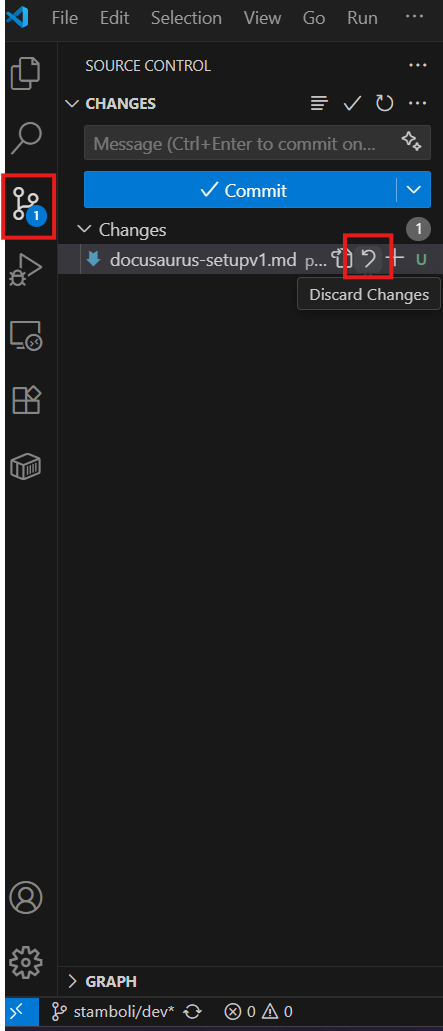
Open the Source Control panel from the left sidebar.
-
If there are any pending changes, discard them by clicking the discard option at the bottom of the panel (if needed).
-
Switch to the main branch (using the branch selector at the bottom left).
-
After switching, open the terminal and install dependencies:
npm install
Creating and Pushing a New Git Branch
-
Open a terminal in VS Code.
-
Make sure you are inside the project folder:
cd process-docs -
Switch to the main branch:
git checkout main -
Pull the latest updates:
git pull -
Create and switch to your new branch:
git checkout -b stamboli/dev
Running the Docusaurus Site Locally
- Start the Docusaurus website on localhost using:
npx docusaurus start
Configure Git User Information Locally
- Set your global Git user name:
git config --global user.name "<First.Last>" - Verify your user name:
git config user.name - Set your global Git email:
git config --global user.email "<HBTech Email>" - Verify your email:
git config user.email
PS C:\Users\sayma.tamboli\process-docs> git config --global user.name "sayma.tamboli"
PS C:\Users\sayma.tamboli\process-docs> git config user.name
sayma.tamboli
PS C:\Users\sayma.tamboli\process-docs> git config --global user.email "sayma.tamboli@hbtech.com"
PS C:\Users\sayma.tamboli\process-docs> git config user.email
sayma.tamboli@hbtech.com
PS C:\Users\sayma.tamboli\process-docs>
Revision History
| Revision | Date | Name | Description |
|---|---|---|---|
| 1.0.0 | 6/11/2024 | Paul Burt | Initial Implementation |
| 1.0.1 | 7/8/2025 | Sayma Tamboli | Local Setup Implementation |
| 1.0.2 | 9/12/2025 | Sneha Karnik | Grammatical Corrections |